
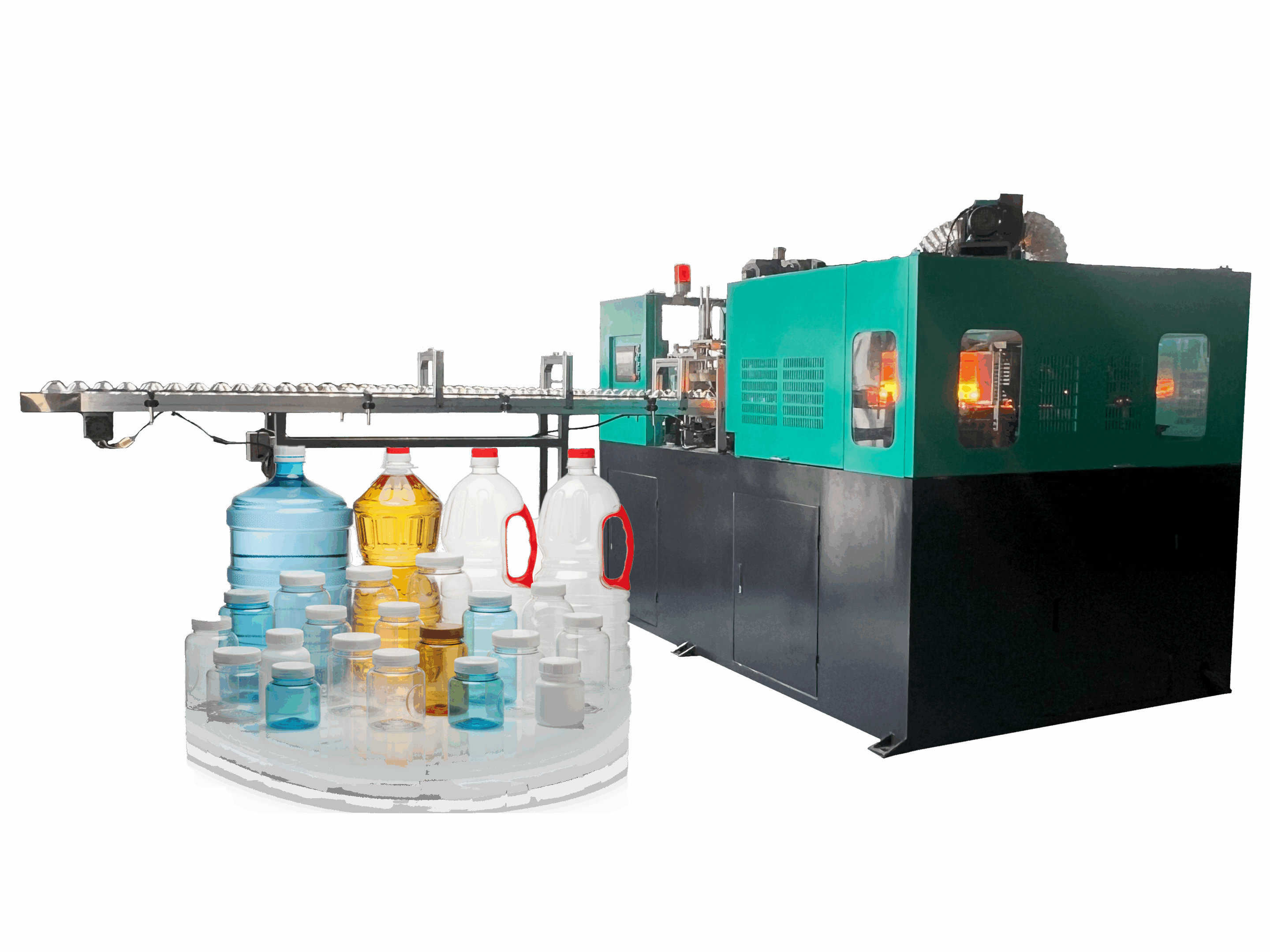
How should I confirm the response speed and durability of the touch screen on the all-electric extrusion blow molding machine?
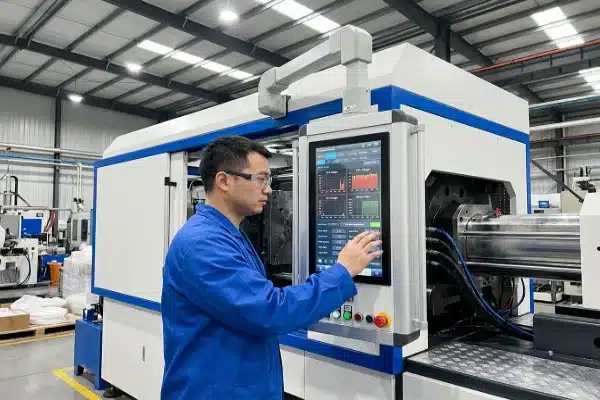
At our facility, we know that a frozen screen during startup ruins production targets. A lagging HMI 1 is not just annoying; it causes scrap and creates significant safety risks for your operators during troubleshooting.
To confirm response speed and durability, stress-test the CPU by rapidly switching tabs while the machine cycles, and verify IP65 ratings against oil mist. Check for "ghost touches" during full-tonnage clamping to ensure EMI shielding, and test parison profile dragging to guarantee lag-free wall thickness adjustments.
Here is how we validate HMI performance before shipping machines to ensure they withstand the harsh reality of a blow molding floor.
How can I test if the HMI interface lags during rapid parameter adjustments?
When we calibrate servo motors, split-second screen response is non-negotiable. If your screen freezes while you are trying to adjust the parison profile, you cannot control bottle weight distribution effectively, leading to immediate material waste.
Perform the "Rapid-Fire" test by switching between heavy graphical pages, such as temperature monitoring and parison curves, while the machine runs. If the screen freezes for over one second, the processor is underpowered. Additionally, physically drag curve points to ensure smooth rendering without stuttering.

The "Rapid-Fire" CPU Stress Test
In the world of all-electric extrusion blow molding 2, the machine generates a massive amount of data. Unlike hydraulic machines, all-electric systems constantly feed back servo positions, torque loads, and current draws to the controller. If the HMI hardware is underpowered, it cannot render this data while accepting your touch inputs.
To verify the processing power, we recommend the "Rapid-Fire" tab switch test. While the machine is running a full dry cycle or actual production cycle, rapidly toggle between the two most data-heavy pages: the Temperature Monitoring page (which updates multiple heating zones) and the Parison Profile page (which renders complex graphs).
If you observe a "white screen" or a freeze lasting more than 1 second, the CPU is bottlenecking. In a production environment, this lag frustrates operators and delays critical adjustments. For example, if a parison is too long and getting caught in the mold, an operator needs to reduce the length instantly. A 2-second lag here could mean a smashed mold or a jammed carriage.
Testing Parison Curve Latency
The most demanding graphic on a blow molding HMI is the parison wall thickness 3 control graph (usually 100 to 300 points). On high-end all-electric machines, we use this to thin out the bottle neck or reinforce the bottom corners.
You must perform a specific "drag test" on this graph. Use your finger to drag a curve point up and down quickly.
- Good Response: The point moves exactly with your fingertip in real-time.
- Bad Response: The point "stutters," jumps, or lags behind your finger by half a second.
This "drag latency" makes fine-tuning impossible. If the graph is not responsive, operators will over-correct or under-correct the bottle weight, leading to inconsistent quality and high scrap rates during setup.
Life-Cycle Architecture: IPC vs. Black Box
We always advise buyers to look at the architecture behind the screen. Is the HMI a proprietary "black box" monitor, or does it run on an Industrial PC (IPC) 4 architecture?
Proprietary screens are often difficult to replace if the manufacturer discontinues that specific model. In contrast, an IPC-based system (often running Windows IoT 5 or Linux) allows for easier hardware upgrades. If the screen breaks in 10 years, you can often replace the monitor while keeping the underlying PC logic, or upgrade the PC without rewriting the entire PLC code.
Table: HMI Response Symptoms and Consequences
| Symptom | Test Method | Operational Consequence |
|---|---|---|
| Page Load Freeze | Switch tabs 5 times in 5 seconds. | Operator waits blindly while alarms might be active. |
| Input Stuttering | Drag a slider or graph point quickly. | Inaccurate bottle weight settings; difficult process control. |
| Delayed Numeric Entry | Type a number on the keypad and watch for display delay. | Risk of entering double digits (e.g., entering "55" instead of "5") causing dangerous settings. |
Is the touch screen rated for industrial environments with oil and dust exposure?
We have seen standard screens fail within months because factory dust infiltrated the bezel. Without proper sealing, hydraulic oil mist (from nearby machines) or cleaning water destroys sensitive internal electronics and clouds the display.
Inspect the bezel gasket design to confirm an IP65 or NEMA 4X rating, which prevents the ingress of hydraulic oil mist and washdown water. Ensure the screen surface uses chemically strengthened glass with at least 7H hardness rather than soft plastic overlays that scratch and become opaque.
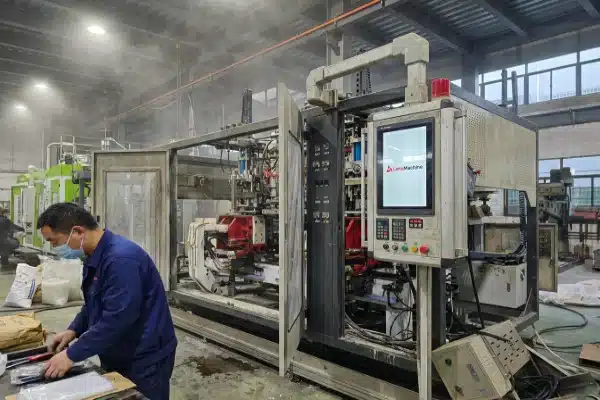
Verifying IP65/NEMA 4X Ratings
A blow molding factory is a hostile environment for electronics. There is polymer dust from the grinder, oil mist from hydraulic systems (even if your machine is electric, your neighbor’s might not be), and humidity from mold cooling systems.
You must verify that the front panel of the HMI is rated IP65 6 ou NEMA 4X.
- IP65: Dust-tight and protected against water jets.
- NEMA 4X: Protects against corrosion, windblown dust, and hose-directed water.
A standard IP54 rating is insufficient; it allows fine dust to enter. Over time, this dust accumulates between the touch layer and the LCD, causing "phantom touches" where the machine registers a button press that no one made. When we design our control cabinets, we ensure the gasket seal around the screen is chemically resistant to release agents and lubricants, which can eat through cheap rubber seals. Further protection against NEMA 4X 7 environments ensures longevity even when aggressive cleaning agents are used.
Screen Hardness: Glass vs. Plastic
Take a close look at the material covering the screen. Is it a soft plastic membrane or a rigid glass pane?
- Plastic Overlays (Resistive): These are common on older or budget machines. They feel soft to the touch. The problem is that operators often use pens, screwdrivers, or dirty gloves to tap the screen. Within a year, the most frequently used buttons (like "Cycle Start" or "Temperature") become scratched, cloudy, and unreadable.
- Chemically Strengthened Glass (7H Hardness): We prefer screens using Chemically Strengthened Glass 8 or higher. These resist scratches from plastic granules, keys, and abrasive dust. They maintain optical clarity for the life of the machine.
Visibility Under Factory Lighting
Lighting in a blow molding plant is often high-bay LED or metal halide, which creates intense glare. A standard office monitor brightness (250 nits) will look washed out and unreadable on the shop floor.
You should request a screen with High-Nit Brightness (minimum 400 nits) and a wide viewing angle (minimum 170°). Operators are rarely standing directly in front of the screen; they are usually moving around the machine, packing bottles, or checking the extruder. They need to be able to glance at the "Cycle Time" or "Alarm" status from a side angle without walking over to the console. If the viewing angle is poor, they might miss a critical temperature warning color change (e.g., Red vs. Green).
Table: Screen Material Durability Comparison
| Fonctionnalité | Soft Plastic Overlay (Membrane) | Chemically Strengthened Glass (Industrial) |
|---|---|---|
| Scratch Resistance | Low (Scratches with fingernails/pens) | High (Resists tools and abrasive dust) |
| Clarity Over Time | Becomes cloudy/opaque with wear | Remains clear |
| Résistance aux chocs | Flexible, but punctures easily | Rigid, resists blunt force impact |
| Oil Resistance | Can absorb oils and yellow | Impervious to oils and solvents |
Can I operate the screen while wearing protective gloves on the factory floor?
Our technicians often wear safety gloves when handling hot parisons or changing molds. A screen that requires bare skin is dangerous because it forces operators to remove their PPE just to handle a critical alarm or stop the machine.
Verify if the screen utilizes Projected Capacitive (PCAP) technology with a specific "glove mode" or industrial resistive technology. Standard consumer-grade screens fail to register inputs from thick, oil-stained gloves. Also, check for "ghost touches" caused by EMI interference during high-tonnage servo acceleration.
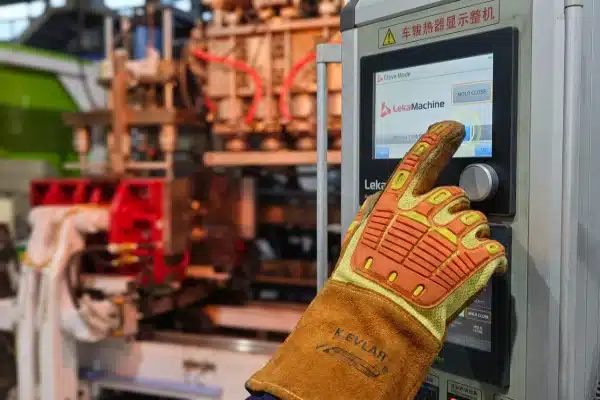
Glove Compatibility: PCAP vs. Resistive
There is a major misconception that "all modern screens are like iPads." While capacitive screens (like smartphones) are great, they rely on the electrical current from your skin. Standard safety gloves block this current.
When we select HMIs, we ensure they have one of two technologies:
- Industrial Resistive: These work by pressure. You can use a glove, a stylus, or even the back of a screwdriver. They are incredibly reliable but slightly less clear optically.
- PCAP with "Glove Mode": Avancé Projected Capacitive (PCAP) 9 screens now have algorithms that increase sensitivity to detect a finger through a glove.
You must test this during the factory acceptance test (FAT). Put on the thickest heat-resistant gloves your team uses. Try to change a temperature setting. If you have to take the glove off, the screen is not fit for purpose.
EMI Shielding and "Ghost Touches"
All-electric blow molding machines use large servo drives to generate clamping force (often 10-30 tons). These drives generate significant Electromagnetic Interference (EMI) 10.
We have seen poorly shielded screens suffer from "Ghost Touches" or cursor jitter when the clamp accelerates. The electrical noise interferes with the touch controller.
- Le test : Open a text entry field or move the cursor to a specific spot. Watch the screen closely while the machine accelerates to full tonnage.
- The Failure: If the cursor jumps, vibrates, or if buttons click themselves, the EMI shielding is inadequate. This is dangerous as it could change process parameters randomly. We ensure our screens are properly grounded and use shielded communication cables to prevent this.
Hard-Wired Critical Controls vs. Touch Screen
Finally, relying 100% on a touch screen is a safety hazard. Software can crash; screens can break.
We adhere to a strict design philosophy: Critical Safety Functions must be Hard-Wired.
Do not accept a machine where the "Emergency Stop," "Cycle Start," "Cycle Stop," or "Mold Open" functions are only virtual buttons on the touch screen. These must be physical, tactile buttons located on the console bezel.
If the HMI freezes or the backlight dies, the operator must still be able to open the mold and stop the cycle physically. This "Life-Cycle Architecture" ensures that a broken $500 screen doesn’t render a $100,000 machine unsafe or unusable.
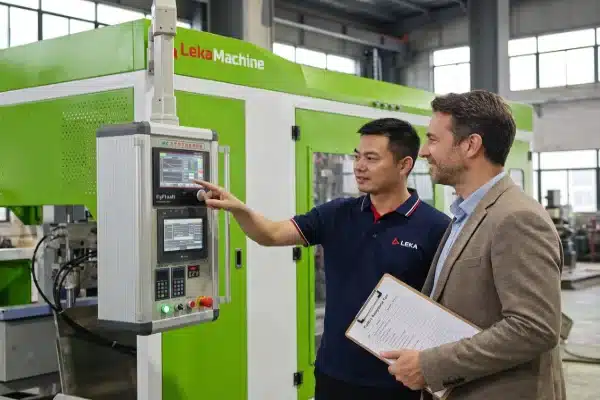
Table: Touch Technology and Safety Features
| Fonctionnalité | Standard Consumer Grade | Industrial Grade (Required) |
|---|---|---|
| Glove Use | No (Skin contact required) | Yes (Pressure or Enhanced Sensitivity) |
| EMI Immunity | Low (Susceptible to noise) | High (Shielded/Grounded) |
| Critical Controls | Virtual / On-Screen | Physical Buttons (Hard-wired) |
| Input Method | Finger only | Finger, Glove, Stylus |
Conclusion
Testing HMI lag, IP ratings, and glove compatibility ensures your all-electric machine runs smoothly in harsh conditions. A robust, responsive screen prevents unnecessary downtime and keeps your operators safe during daily production.
notes de bas de page
1. Definition and role of Human-Machine Interfaces (HMIs) in automation. ↩︎
2. Overview of the extrusion blow molding process and machinery. ↩︎
3. Technical explanation of parison formation and wall thickness. ↩︎
4. Differences between commercial and Industrial PCs (IPCs). ↩︎
5. Microsoft documentation on Windows IoT for embedded systems. ↩︎
6. Official IEC guide to IP (Ingress Protection) ratings. ↩︎
7. Explanation of NEMA 4X enclosures for harsh environments. ↩︎
8. How ion-exchange processes create chemically strengthened glass. ↩︎
9. Comparison of capacitive versus resistive touch technologies. ↩︎
10. Technical insights into EMI shielding for electronics. ↩︎


0 commentaires