
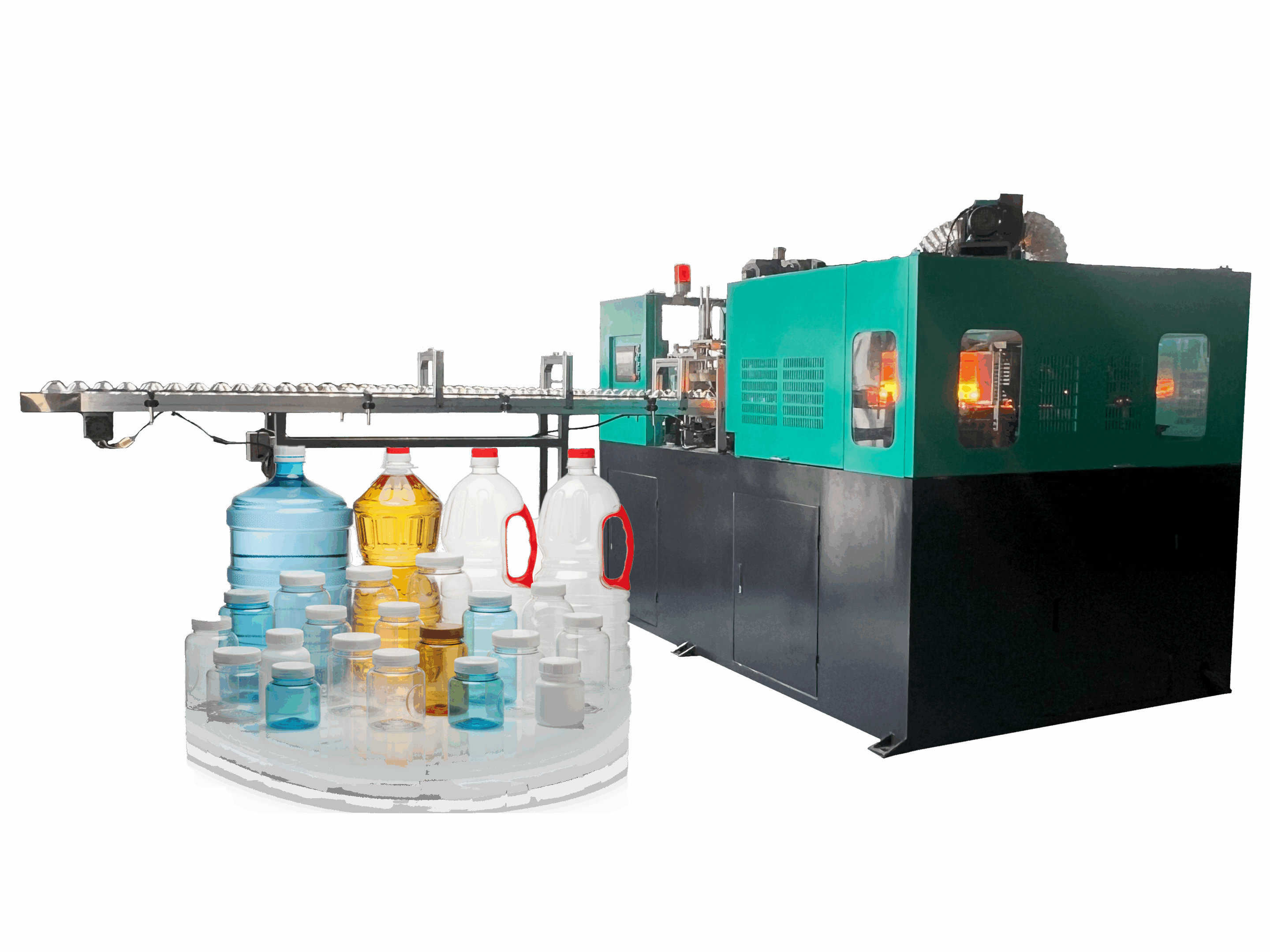
How can I ensure that the operation interface of the ALL electric extrusion blow molding machine supports the local language?
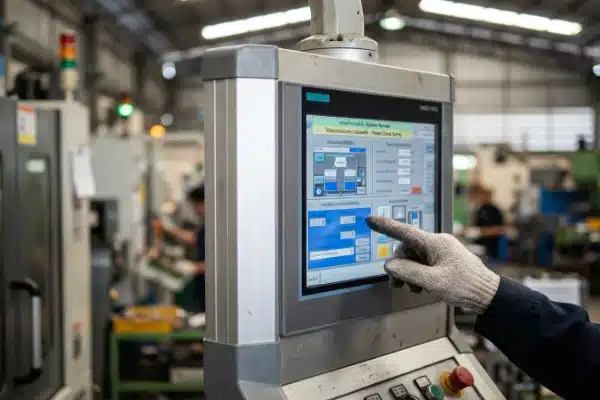
At our facility, we see how language barriers cripple production efficiency. Misunderstanding a single prompt can cause costly downtime, making clear, localized interfaces crucial for your operators’ success and safety on the shop floor. (33 words)
Misunderstanding a single prompt 1
To ensure full language support, verify that the HMI allows runtime switching without rebooting and request the source string table (CSV/Excel) for review. Confirm Unicode support for non-Latin scripts and audit safety manuals for professional translation rather than relying on automated tools. (42 words)
Let’s break down the specific checks you need to perform before finalizing your machine order to guarantee seamless communication between your team and the equipment.
Is the HMI software capable of one-touch switching between English and my local language?
When we configure machines for export, we prioritize instant accessibility. Operators shouldn’t struggle through complex menus just to read a basic command during a production rush or an emergency. (29 words)
Modern HMI software must support "runtime" language switching, allowing users to toggle between English and a local language via a single button press. This functionality ensures supervisors can troubleshoot in English while operators work simultaneously in their native language without restarting the system. (42 words)
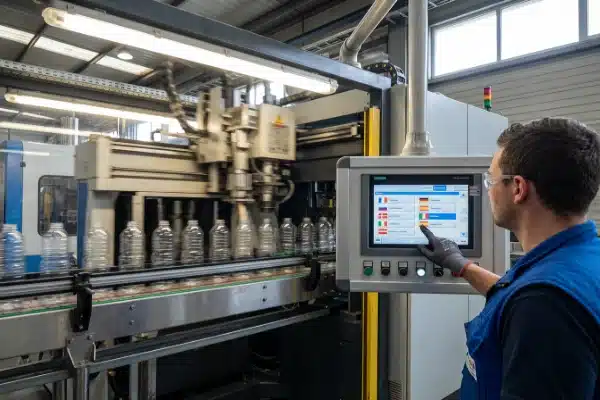
True "runtime" switching is more than just a convenience; it is a critical operational feature for multinational teams. In our engineering tests, we often see older systems require a full machine reboot to change the language pack. This is unacceptable in a modern production environment because it forces you to stop the blow molding cycle, wasting material and energy just to read a different screen.
The Problem with Hard-Coded Images
A common hidden issue we warn clients about is "graphic text." Some interface designers take shortcuts by creating buttons as static images (JPEGs or PNGs) with text burned into them. When you switch the language mode, these images do not change because they are pictures, not text fields.
You must inspect the HMI flowcharts and graphical buttons. Ensure that the text is an "overlay" on top of the graphic. This ensures that when the language variable changes, the label on the button updates instantly.
Unicode and Font Support
If your local language uses non-Latin scripts—such as Thai, Arabic, Cyrillic, or Chinese—you need to verify the underlying operating system of the HMI. If the manufacturer has not installed the correct font packs or enabled Unicode support, your operators will not see words. Instead, they will see rows of empty squares ("□□□") or question marks.
Comparison: Standard vs. Optimized Language Implementation
| Fonctionnalité | Standard/Poor Implementation | Optimized Production Implementation |
|---|---|---|
| Switching Method | Requires entering a password, changing a setting, and rebooting the HMI. | Single button on the main screen changes text instantly (Runtime). |
| Graphical Buttons | Text is part of the image; remains in English even after switching. | Text is an overlay; updates automatically with language selection. |
| Font Support | Missing characters or corrupted display for complex scripts. | Full Unicode support; characters render correctly for all installed languages. |
Can I review and edit the translation strings before the machine ships?
We always encourage clients to audit technical terms. Generic translations often fail to capture specific nuances of blow molding, leading to confusion on the factory floor regarding critical parameters. (29 words)
nuances of blow molding 2
You should explicitly request the HMI’s text database in Excel or CSV format to review translation strings before compilation. This prevents technical errors, such as "Parison" being mistranslated as "Plastic Tube," and allows you to customize terminology to match your specific factory workflow. (43 words)

Do not rely on screenshots to verify translations. Screenshots only show you the main menu, hiding hundreds of deep-level parameter settings that might be mistranslated. By requesting the "String Table" (usually a .csv ou .xls file), you gain control over the machine’s vocabulary.
The Importance of Technical Terminology
In the plastics industry, precision is key. A generic translation agency might translate "Die Head" as "Death Head" or "Mold Clamping" as "Fungus Tightening" if they rely on basic automated tools.
We recommend you assign your most experienced process engineer to review this file. They can ensure that the terms match the jargon your operators already use. For example, if your team uses the word "Flash" for waste material, but the machine is programmed with the word "Scrap," you can correct this in the file before the software is locked.
"Virtual Keypad" and Input Methods
Reading is only half the battle; your operators also need to write. When saving a new recipe for a bottle mold, can they name it in their local language?
You must verify that the HMI includes an Input Method Editor (IME) for your specific region. If the virtual keyboard only supports English characters, your operators will be forced to save recipes like "Botella_Grande" using English letters, or worse, vague codes like "Recipe_01," which makes finding the right setup file difficult later on.
Input Method Editor (IME) 3
Common Blow Molding Translation Pitfalls
| English Term | Common Bad Translation (Automated) | Correct Technical Context |
|---|---|---|
| Paraison | Plastic Tube / Hose | The extruded hollow tube of plastic before blowing. |
| Flash | Light / Spark | Excess material trimmed from the bottle. |
| Durée du cycle | Bicycle Time / Period | The total time to produce one shot of bottles. |
| Soak Timer | Wet Watch | Time allowed for heat to penetrate the plastic resin. |
Does the user manual come in a professionally translated version?
Our engineering team knows that a manual is useless if it reads like gibberish. Safety depends on precise understanding, not guesswork or dangerous automated translation errors. (26 words)
A professionally translated user manual is mandatory for regulatory compliance like CE or OSHA, specifically regarding safety sections. Demand a multi-step TEP (Translation, Editing, Proofreading) process by certified technical translators to ensure safety warnings are accurate and free from dangerous machine-translation errors. (41 words)
When we prepare documentation for export, we treat the manual as part of the machine’s safety system. If an operator cannot understand the "Lockout/Tagout" procedure because of poor grammar, the liability risk is enormous.
Lockout/Tagout procedure 4
Regulatory Compliance and Safety
For markets like Europe (CE marking) or North America (OSHA/UL), having a manual in the local language is not optional—it is a legal requirement. The safety chapter, in particular, must be certified. You should ask your supplier to see a sample of the safety warnings early in the project.
If you see sentences that make no sense, it is a red flag. It suggests the manufacturer used free online tools to translate the document. This "Google Translate gibberish" can lead to severe accidents if instructions on high-voltage areas or hydraulic pressure release are misinterpreted.
Diagrams and Schematics
Text isn’t the only thing that needs translation. Look at the electrical and pneumatic schematics. Often, the main text of the manual is translated, but the labels inside the technical drawings remain in the manufacturer’s original language.
A truly localized manual will have "callouts" or annotations in the diagrams translated as well. This allows your maintenance team to trace a wire or identify a valve without needing a dictionary to decipher the engineering drawings.
Documentation Checklist for Buyers
- Safety Section: Has it been proofread by a native speaker?
- Drawings: Are schematic labels translated?
- Troubleshooting: Are the steps clear and logical?
- Homogénéité : Do the terms in the manual match the terms on the HMI screen?
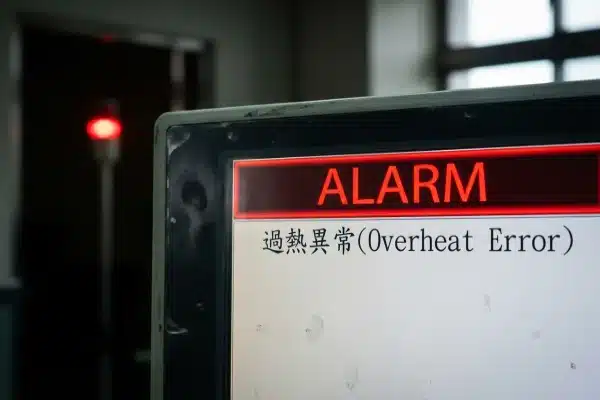
Will the error messages and alarm logs be displayed in my local language?
In our experience, panic strikes when an alarm triggers. If the error code is incomprehensible, your downtime extends unnecessarily while operators scramble for a dictionary. (24 words)
You must verify that both active alarms and historical logs display correctly in your local language. Test this by triggering a fault and switching languages to ensure the log history updates retroactively, rather than "freezing" in the language active when the error occurred. (43 words)

Diagnosing a fault quickly is the difference between a 5-minute pause and a 2-hour shutdown. However, alarm systems are often the most difficult part of the software to localize correctly.
regulatory compliance like CE 6
The "Frozen History" Problem
A common bug in machine software is the "frozen history" issue. This happens when the machine records an alarm in the language that was active at that exact moment.
For example, if the machine is in English mode during the night shift and a heater fails, the log records "Heater Fault." When the morning shift arrives and switches the screen to Spanish, that specific log entry might remain "Heater Fault" while new alarms appear in Spanish. The best systems use ID codes to translate history retroactively, so the entire log converts to the selected language.
Unicode support for non-Latin scripts 7
Deep-Level PLC Diagnostics
Most buyers check the main screen, but they forget the "Service" pages. The deep-level Input/Output (I/O) monitor screens often pull descriptions directly from the PLC code variables.
These variables are frequently written in the OEM’s native language (e.g., Chinese or German comments). Unless these are explicitly mapped to the translation table, your maintenance team might see a cryptic error like ERR_MTR_OVRLD or a raw variable name instead of "Motor Overload."
operating system of the HMI 8
Dynamic String Grammar
Be wary of systems that "stitch" words together. Some software attempts to be smart by combining words like "Motor" + "Fault" + "Axis 1." While this works in English, it fails in many other languages due to gender and word order rules.
For instance, in Romance languages, the adjective comes after the noun. A stitched translation might result in "Fault Motor" instead of "Motor Fault." Always prefer systems that map full sentences rather than individual words to ensure the grammar respects your local language rules.
runtime language switching 9
Alarm Verification Protocol
| Test Step | Action | Expected Result |
|---|---|---|
| Trigger Alarm | Open a safety gate or trip a sensor. | Alarm banner appears immediately in the selected local language. |
| Switch Language | Change HMI language to English, then back to Local. | The active alarm text changes instantly without disappearing. |
| Check History | Open the Alarm History / Log page. | Previous alarms (even those from days ago) appear in the currently selected language. |
| Check Fallback | Disconnect a sensor that creates a rare error code. | If translation is missing, it should show English, not a blank space or ###. |
Conclusion
Clear communication drives efficiency. By validating HMI runtime switching, reviewing string tables for accuracy, and auditing manuals for safety compliance, you ensure your new machine boosts production rather than creating confusion. (31 words)
safety on the shop floor 10
notes de bas de page
- Academic resource on human factors and ergonomics in workplace systems. ↩︎
- Leading industry organization for plastics professionals and technical standards. ↩︎
- Definition of the specific software component required for text input. ↩︎
- Official OSHA standard for hazardous energy control mentioned in text. ↩︎
- International organization maintaining IEC 61131-3 PLC programming standards. ↩︎
- Official EU Commission page on Machinery Directive safety requirements. ↩︎
- Official website of the Unicode Consortium standards body. ↩︎
- Technical documentation for Windows IoT, a common OS for industrial HMIs. ↩︎
- Major manufacturer documentation highlighting runtime language switching capabilities. ↩︎
- Official OSHA interpretation regarding language requirements for safety training. ↩︎


0 commentaires